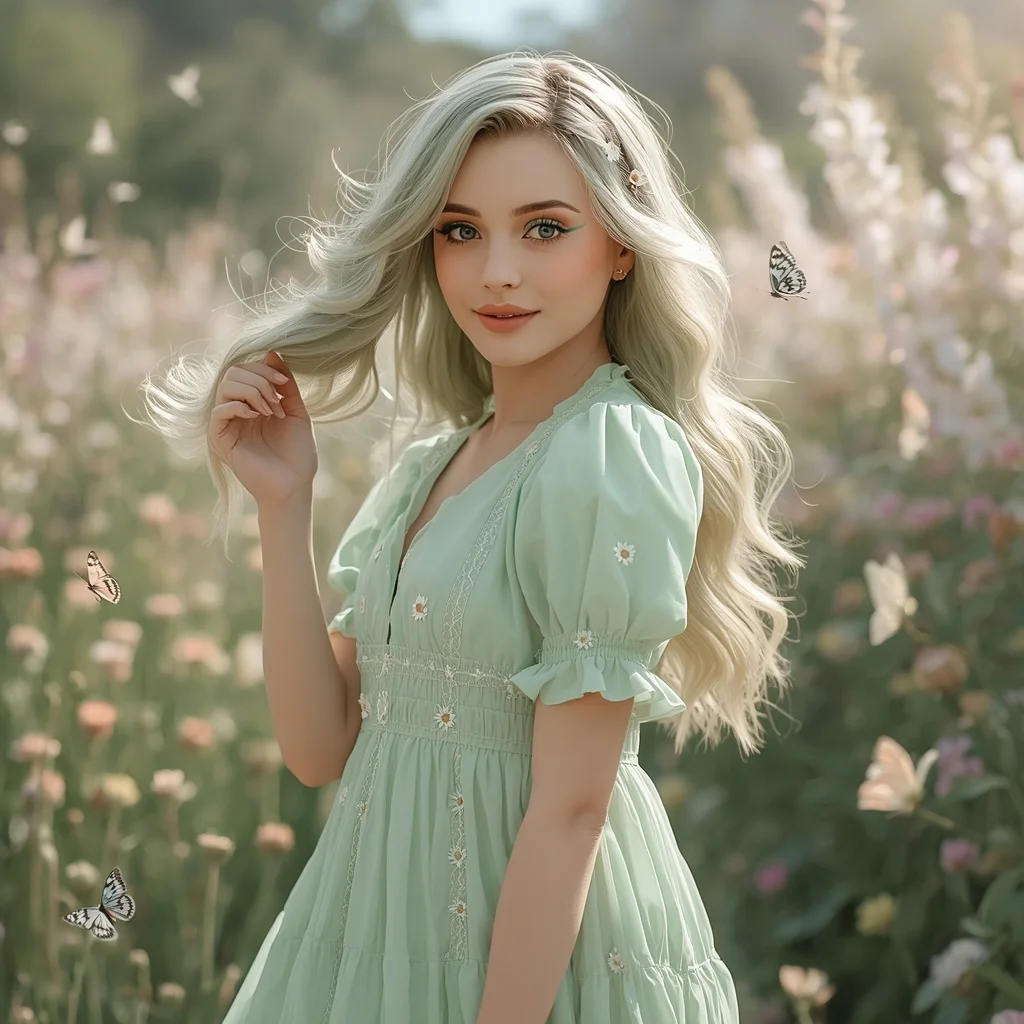
Elegant Floral Appliqué Gown for a Sophisticated Garden Wedding Guest | Graceful Woman Her
A garden wedding guest in a flowing gown sprinkled with floral appliqués – this prompt paints a scene of refined romance that many AI generators can bring to life with stunning detail. It captures a fleeting moment of elegance, soft light, and natural beauty, perfect for anyone looking to create a sophisticated, editorial-style portrait.
At Instant Prompt, we break down exactly what makes this image work, from the delicate pearl earrings to the blurred fairy lights in the background. Whether you are a photographer seeking inspiration or a creative exploring AI artistry, this guide will help you generate a polished, believable result every time.
What this elegant floral appliqué gown prompt is asking for
The prompt describes a woman in her late twenties at a garden wedding, wearing a floor-length gown in dusty rose or sage green with cascading floral appliqués. It specifies a sleeveless bodice, an A-line silhouette, soft romantic waves, fresh makeup, pearl drop earrings, and block heels. The setting is a softly blurred garden with blooming flowers, greenery, and twinkling lights, photographed with an 85mm lens for a shallow depth of field.
- A graceful woman in her late twenties with delicate charm
- Floor-length gown in dusty rose or sage green with cascading floral appliqués
- Sleeveless bodice and flowing A-line silhouette
- Soft, romantic waves and fresh, natural makeup
- Delicate pearl drop earrings and comfortable block heels
- Soft blur of blooming flowers, lush greenery, and twinkling fairy lights
The scene this prompt builds around the garden wedding guest
The image centers on a poised young woman who "mingles amidst a beautiful garden wedding celebration," placing her in a lively yet serene social setting. Her gown, described with "intricate floral appliqués that cascade down the skirt," becomes a focal point that mirrors the surrounding "blooming flowers" and "lush greenery."
The atmosphere is shaped by a "soft blur" of natural elements and "twinkling fairy lights," which together create a "romantic and serene atmosphere." The technical choice of "an 85mm lens" compresses the background into a dreamy bokeh, ensuring the viewer's eye stays on the subject's expression and the texture of her gown.
Why this prompt suits a romantic garden wedding portrait
This prompt is ideal for generating a timeless, editorial-style image because it combines precise fashion details with an evocative setting. The muted color palette and soft lighting produce a gentle, high-end look that feels both candid and carefully composed.
- The floral appliqués on the gown echo the garden setting, creating visual harmony between subject and environment.
- An 85mm lens and blurred background naturally isolate the woman, making her the undisputed focal point.
- Soft, natural makeup and pearl accessories keep the image elegant and believable, avoiding an overly staged appearance.
Three artistic styles that enhance this garden wedding prompt
While the base prompt already leans toward a romantic, photorealistic look, applying one of three distinct styles can shift its mood dramatically. Each style keeps the core elements intact while changing the texture, color saturation, or lighting treatment.
- Fine-art film photography: Mimics the soft grain and muted tones of medium-format film, giving the floral appliqués a timeless, painterly quality.
- Impressionist painting: Softens edges and emphasizes dappled light, turning the fairy lights and flowers into a dreamy, brushstroke-filled backdrop.
- Editorial fashion illustration: Adds crisp lines and slightly exaggerated elegance, making the cascading appliqués and A-line silhouette pop like a magazine sketch.
How to generate this floral appliqué gown image step by step
Turning this prompt into a polished AI image requires careful attention to detail at every stage, from input to final inspection. Following a clear sequence helps you avoid common pitfalls like distorted hands or mismatched accessories.
- Copy the full prompt. Paste the entire text, including the lens and aperture details, into your chosen AI image generator without truncating.
- Upload a reference photo. Add a clear, well-lit picture of a woman in a garden setting or a similar gown to guide the AI on pose and lighting.
- Generate the initial image. Run the prompt and review the composition, checking that the gown color and floral appliqués match the description.
- Check the hands. Zoom in and ensure fingers look natural, especially if she is holding a clutch or gesturing; regenerate if they appear twisted.
- Inspect the face. Verify that the facial features are symmetrical, the makeup is fresh, and the expression radiates delicate charm.
- Examine the gown details. Confirm that the appliqués cascade correctly down the skirt and that the A-line silhouette flows without awkward folds.
Choosing the right reference photo for this garden wedding look
A well-chosen reference photo anchors the AI’s output in reality, especially for the gown’s texture and the garden lighting. It does not need to match every detail exactly, but it should capture the overall mood and pose.
- Pick a photo of a woman in a floor-length dress with a similar A-line shape, ideally in soft natural light.
- Ensure the background includes greenery or flowers, even if slightly out of focus, to reinforce the garden setting.
- Avoid references with heavy direct flash, as the prompt calls for a soft, romantic atmosphere with blurred fairy lights.
Top AI tools for rendering the floral appliqué gown prompt
Different AI image generators handle fabric textures, skin tones, and bokeh effects with varying degrees of realism. The table below compares four widely used platforms for this specific prompt.
| Tool | Access | Typical realism | Useful here for |
|---|---|---|---|
| ChatGPT | Subscription | High, with coherent details | Accurately rendering the cascading floral appliqués and soft romantic waves |
| Google Gemini | Free tier available | Moderate to high | Capturing the soft blur of twinkling fairy lights and lush greenery |
| Leonardo AI | Free tier available | High, with cinematic lighting | Producing the delicate pearl drop earrings and fresh natural makeup |
| Midjourney | Subscription | Very high, artistic | Nailing the dusty rose gown’s texture and the romantic 85mm bokeh effect |
Three practical tips for a flawless garden wedding guest image
Small adjustments to your process can make a big difference in achieving a believable, high-quality result. These tips focus on real elements from the prompt to keep the output consistent.
- Describe the floral appliqués as ‘three-dimensional embroidered petals’ in a negative prompt if they look flat or painted on.
- Add ‘warm tungsten glow’ to the fairy lights description in an upscaler to prevent them from turning into harsh white dots.
- Mention ‘block heels partially visible under the hem’ in a regional prompt to ensure the footwear detail is not lost.
Common issues and fixes for this garden wedding prompt
Even a well-crafted prompt can produce flawed images. The table below identifies typical failures and the exact changes needed to correct them.
| Issue | What to change |
|---|---|
| Gown appears solid with no floral appliqués | Add ‘intricate raised floral embroidery on skirt’ to the prompt and increase detail weight. |
| Fairy lights look like oversized glowing orbs | Specify ‘small, delicate warm bokeh circles’ and reduce the bokeh intensity slider. |
| Face looks harsh or over-made-up | Emphasize ‘very minimal, dewy makeup, no heavy contour’ in a negative prompt field. |
| Pearl drop earrings are missing or distorted | Isolate the ears with a regional prompt and add ‘two distinct pearl drop earrings, one on each ear’. |
Frequently Asked Questions
Can I change the gown color from dusty rose or sage green to something else?
Yes, you can replace the color with any soft, muted tone like lavender or powder blue. Keep the shade subdued to maintain the romantic, garden-wedding atmosphere and ensure the floral appliqués still contrast nicely against the fabric.
What if the AI makes the garden background too sharp instead of blurred?
Add ‘shallow depth of field, f/1.8 aperture’ to your prompt and include ‘sharp background’ in a negative prompt. Some tools also have a bokeh or blur slider that you can increase after generation.
How do I ensure the woman’s age looks like late twenties and not older or younger?
Use positive terms like ‘youthful skin, no fine lines, mature but fresh expression’ and negative terms like ‘teenager, child, elderly, wrinkles.’ Adjusting the age slider in tools that support it can also help.
Conclusion
This elegant floral appliqué gown prompt offers a rich template for creating a sophisticated garden wedding portrait that feels both aspirational and authentic. By paying close attention to the gown’s texture, the soft garden lighting, and the subject’s natural beauty, you can generate an image worthy of a high-end fashion editorial. Experiment with the suggested styles and tools, and use the troubleshooting tips to refine your output until every pearl, petal, and bokeh circle falls perfectly into place.
Remember to only use reference photos that you have the legal right to edit and incorporate into your AI-generated compositions.